
Managing your organizations
To Manage an organization select Manage

Organization Overview
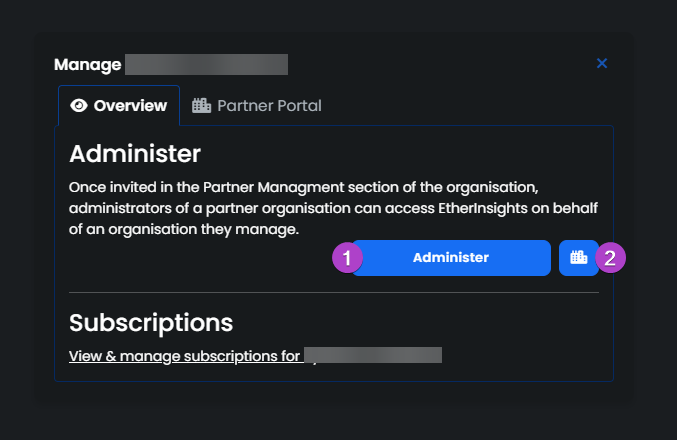
- Administer: Access the Organizations EtherInsights Page as an Admin on the Organizations Behalf.
- Partner Portal: Access the Organizations Partner portal and view their managed organizations.
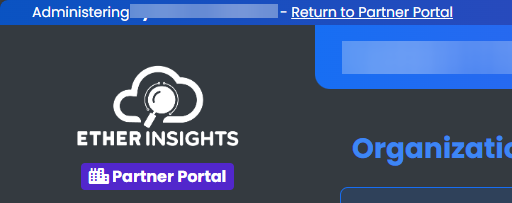
When Accessing the Organizations Partner Portal, you can select Return to Partner Portal in the top left corner to return back to your organizations partner portal.
Organization Partner Portal Settings
Navigate to Partner Portal to view more the Partner Portal Settings.
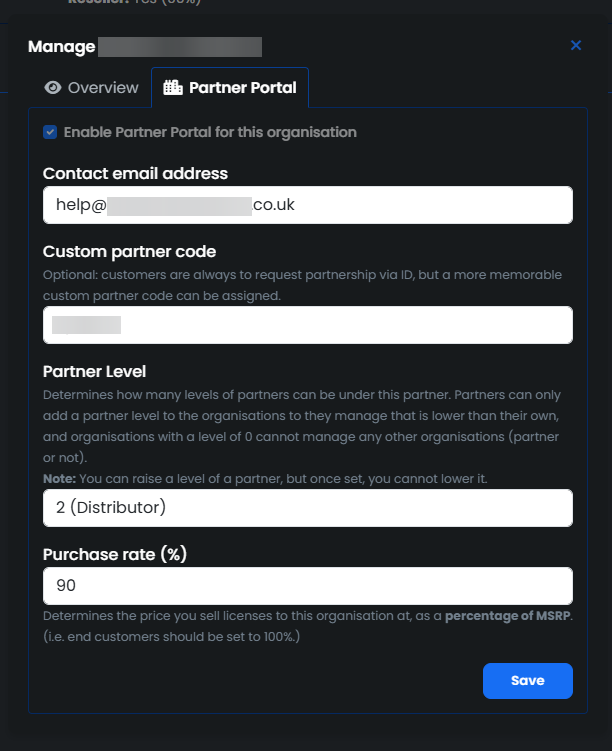
Here you can view and manage:
- Contact Email address - The Email address used to contact the Organization
- Customer Partner code - A customer partner code can be set instead of the default code
- Partner Level - Determines how many levels of partners can be under this partner.
- Purchase Rate - Determines the price you sell licenses to this organisation at.