
Azure Resources
View your Azure resources and see where costs can be saved.
Dashboard Overview

Below are the key details for Azure resources:
- Total Unused Resources: The total number of unused resources across all resource types.
- Potential Monthly Savings: The potential savings per month if unused resources are optimized.
- Potential Annual Savings: The potential savings per year if resources are optimized.
- Unused Virtual Machines: The monthly cost of unused virtual machines.
- Storage Savings: The cost of potential savings per month.
- Other Potential Savings: The cost of potential savings per month.
AI Insights
Select generate to generate an AI Insights report, This report is used to summarize the page including an Assessment of all unused resources, Cost optimization recommendations, Potential Monthly cost savings and final recommendations.

Unused Resources
All unused resources in your Azure tenant will be shown.
Information about each resource will be shown
Example - Availability Sets (2)
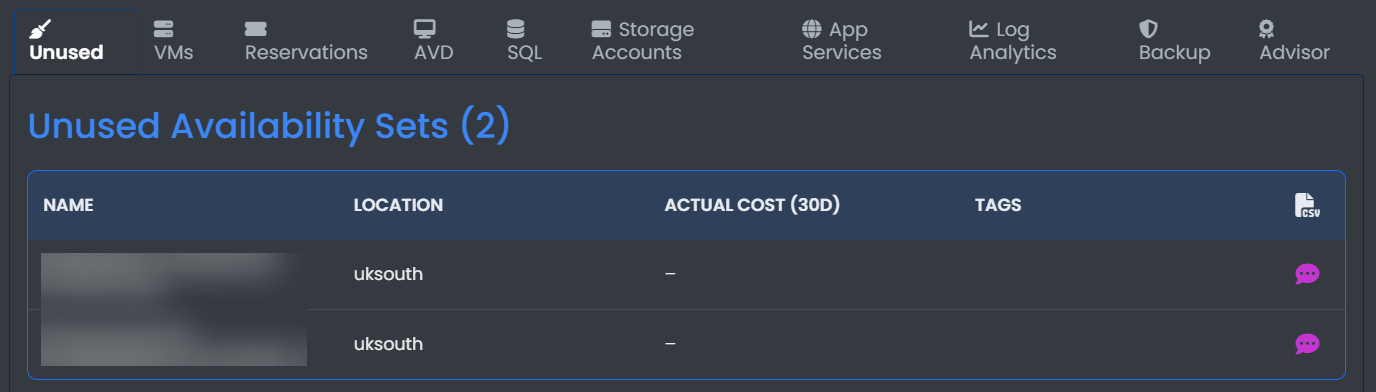
- Name: The name of the virtual machine.
- Location: The geographical location of the virtual machine
Virtual Machines
View all virtual machines and their costs and specifications.
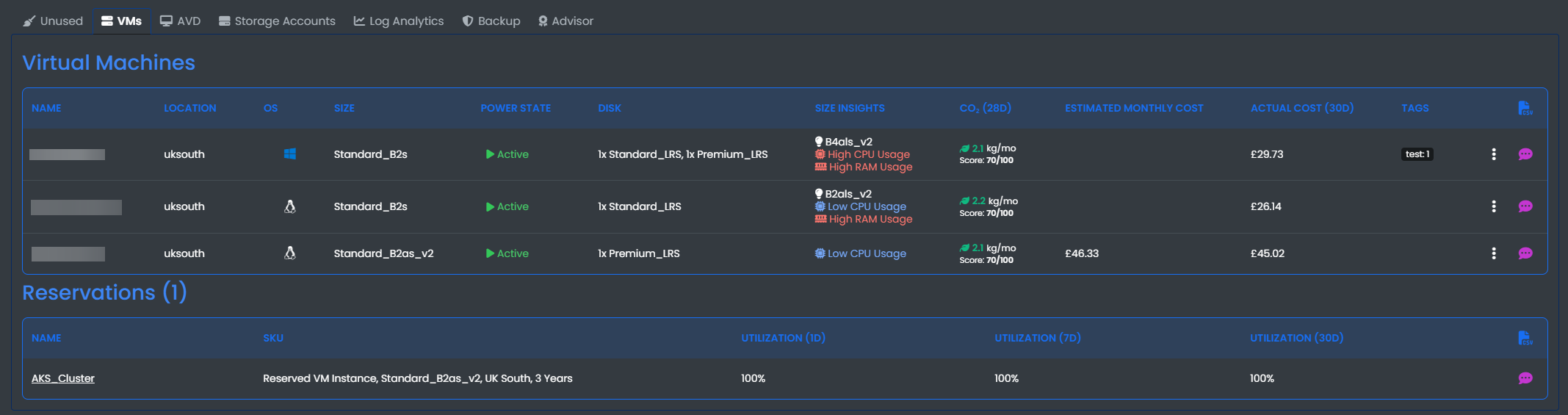
In this table you can view the:
- Name
- Location
- OS
- Size
- Power State: This option can be clicked to stop and deallocate a VM
- Disk
- Size Insights
- Co2 View the Amount of carbon emissions
- Estimated Monthly Cost
- Actual Monthly Cost
- Tags
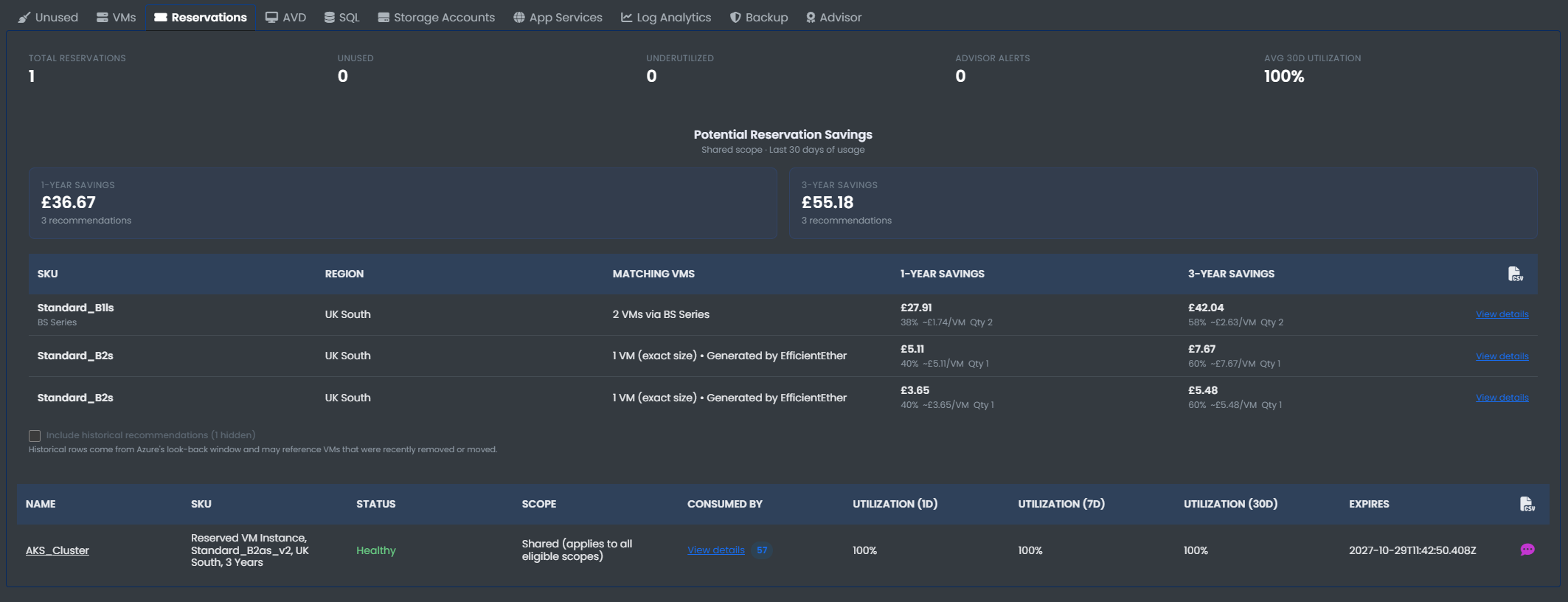
Reservations
View all potential reservation savings
Azure Virtual Desktop
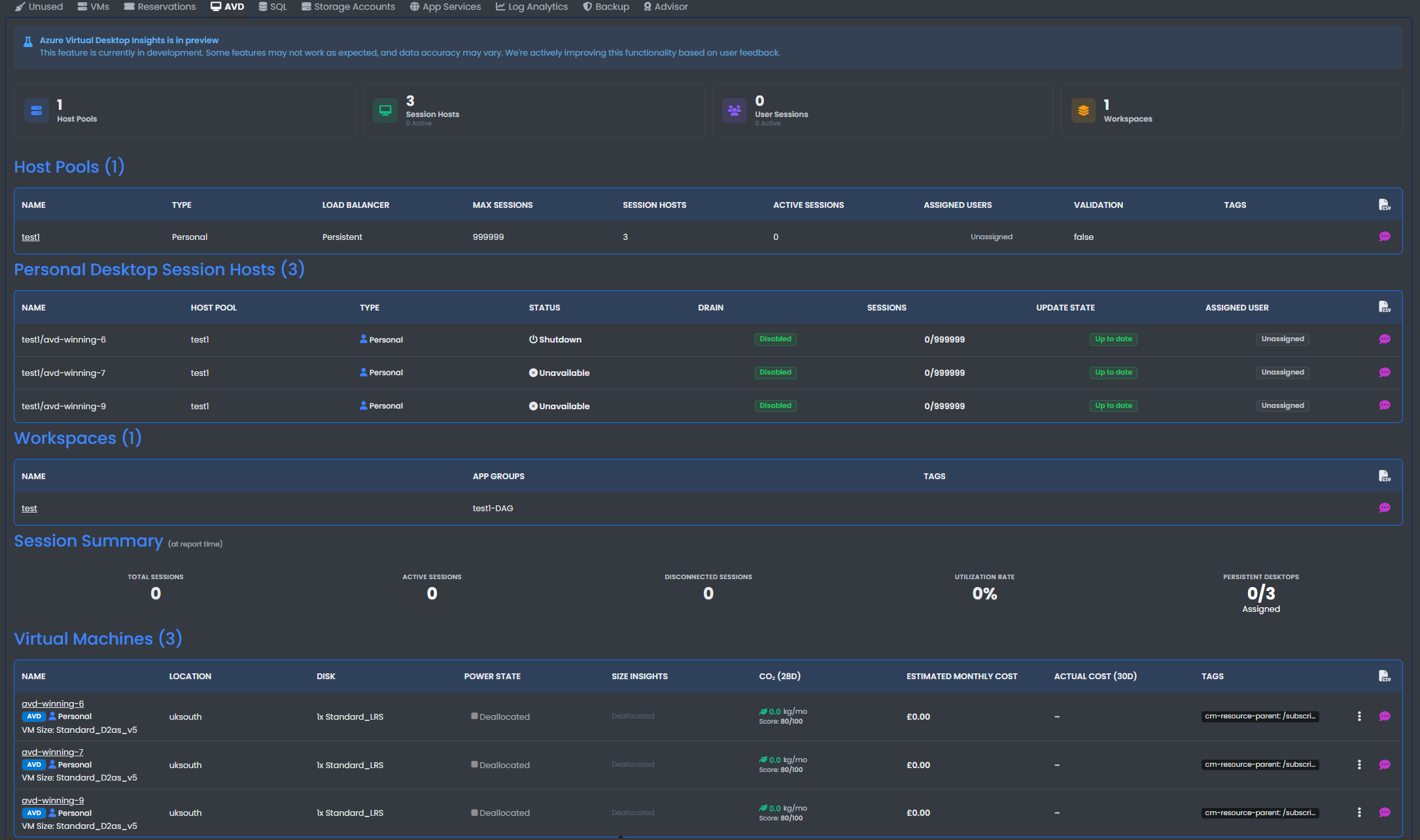
View all Azure Virtual Desktop resources including:
- Host Pools
- Session Hosts
- User Sessions
- Workspaces
- Virtual Machines
SQL
View idle Azure SQL databases, pools, managed instances, or SQL virtual machines
Storage Accounts
View all storage accounts in your tenant.
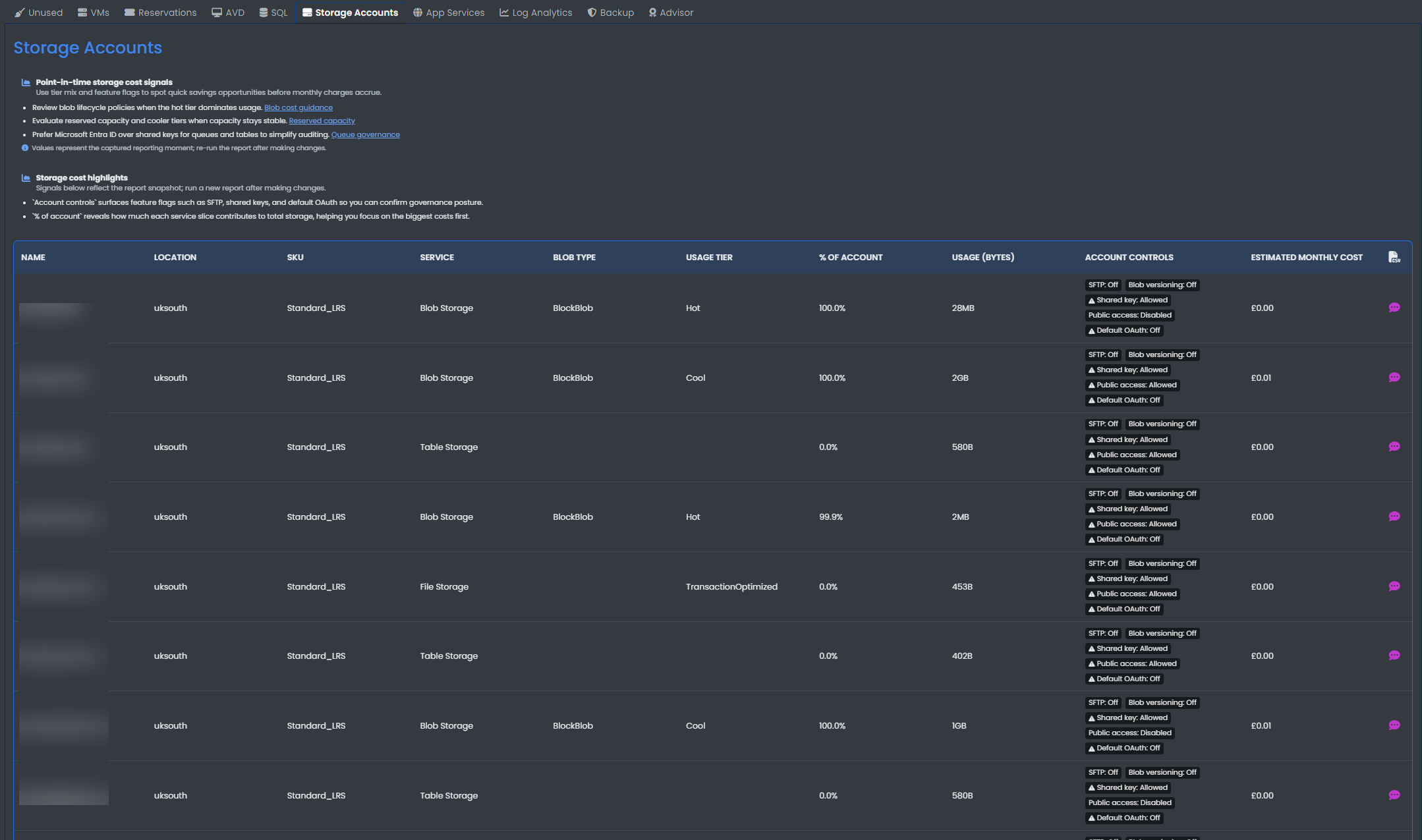
In this table you can view the:
- Name
- location
- SKU
- Service
- Blob type
- Usage Tiers
- % Of Account
- Usage (Bytes)
- Account Controls
- Estimated Monthly Cost
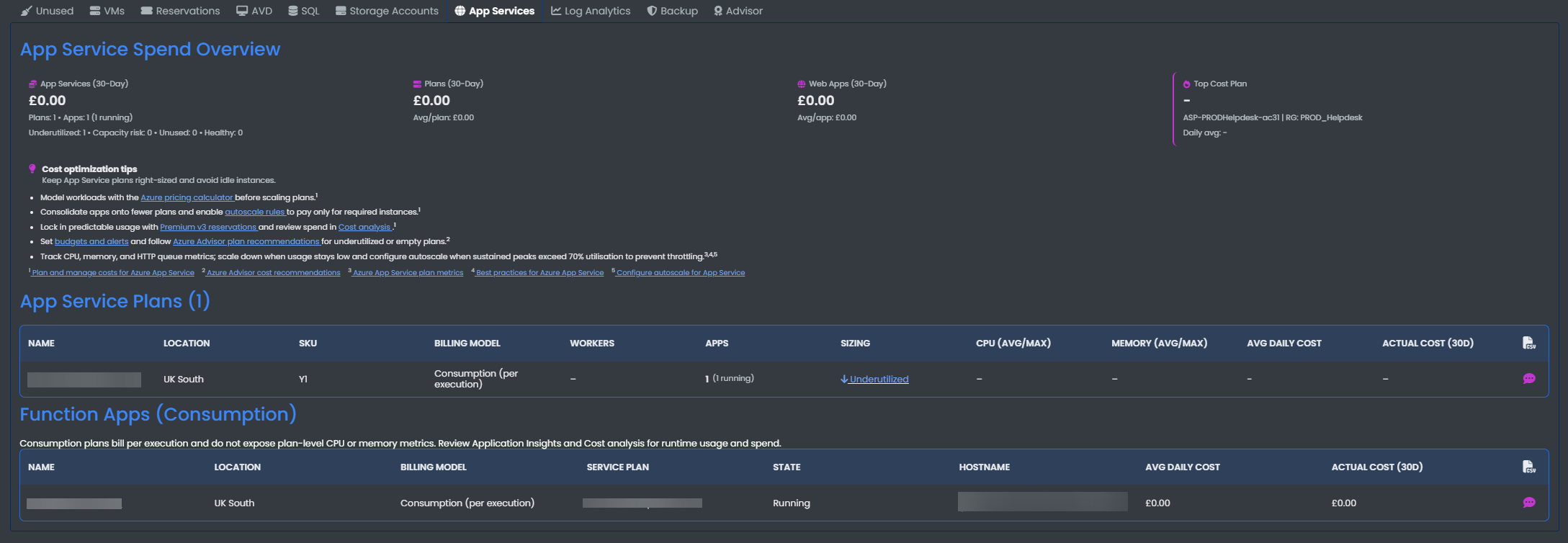
App Services
View your app spend overview Including the below:
- App Service Plans
- Function Apps
- Web apps
Log Analytics
View all Log Analytics Workspaces in your tenant.
View the cost Risk Level of each Workspace and Update the daily cap.
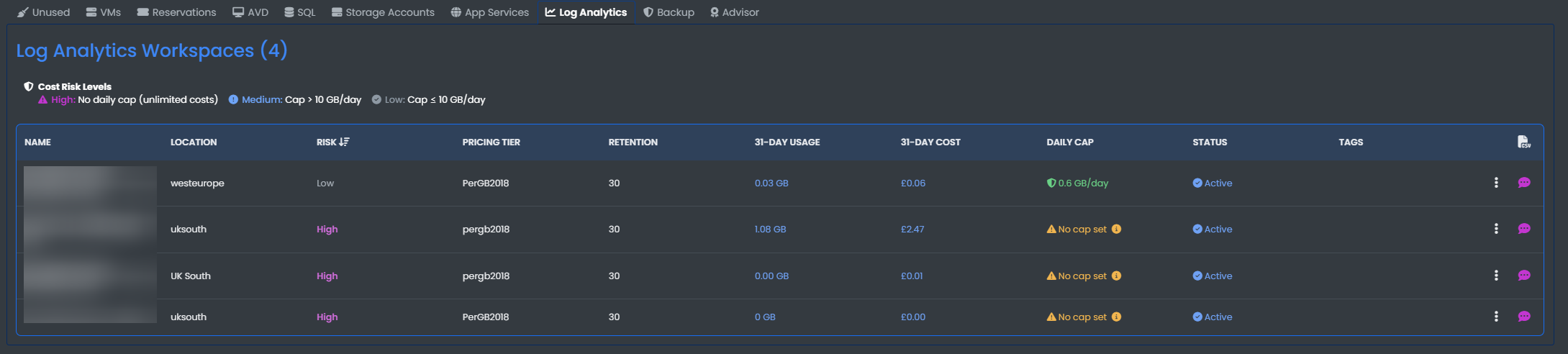
In this table you can view the:
- Name
- Location
- Risk
- Pricing Tier
- Retention
- 31-Day Usage
- 31-Day Cost
- Daily Cap
- Status
- Three dots: Click the three dots to update the daily cap of the workspace
Backup
View all protected backup items and Recovery services vaults and the total size and costs.
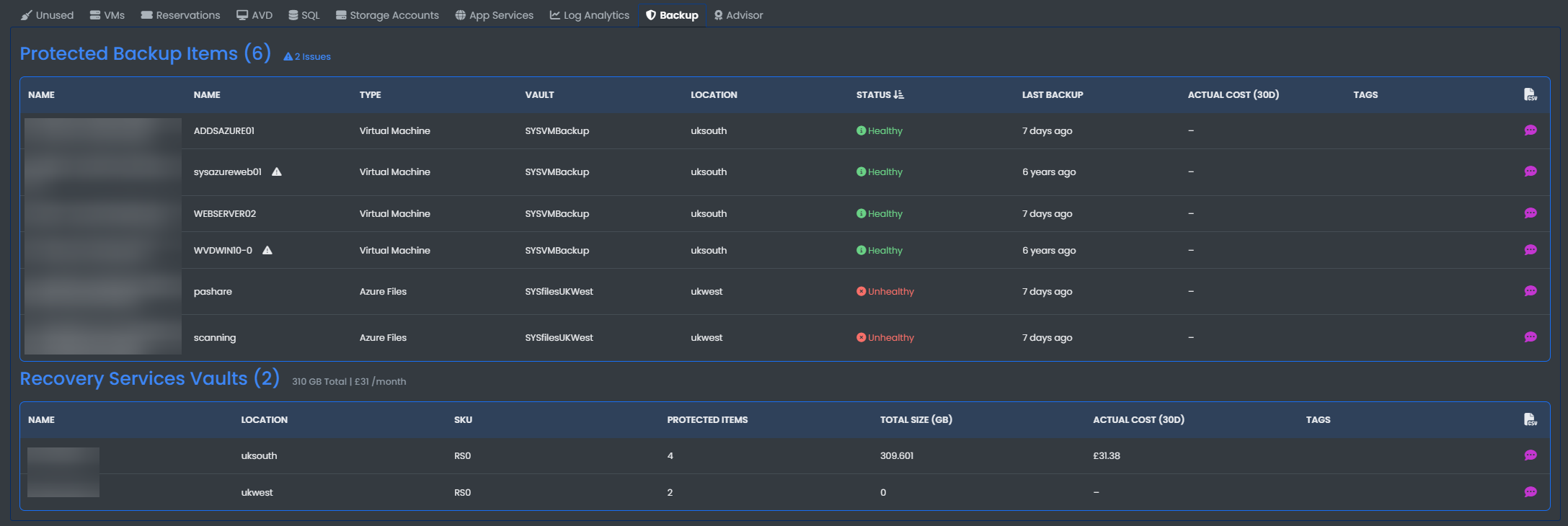
In the Protected Backup Items table you can view the:
- Name
- Type
- Vault
- Location
- Status
- Last Backup
- Actual Cost (30D)
In the Recovey Services Vaults you can view each vaults:
- Name
- Location
- SKU
- Protected Items
- Total Size (GB)
- Actual Cost
Advisor
View all Azure advisor recommendations to improve your Azure tenant.
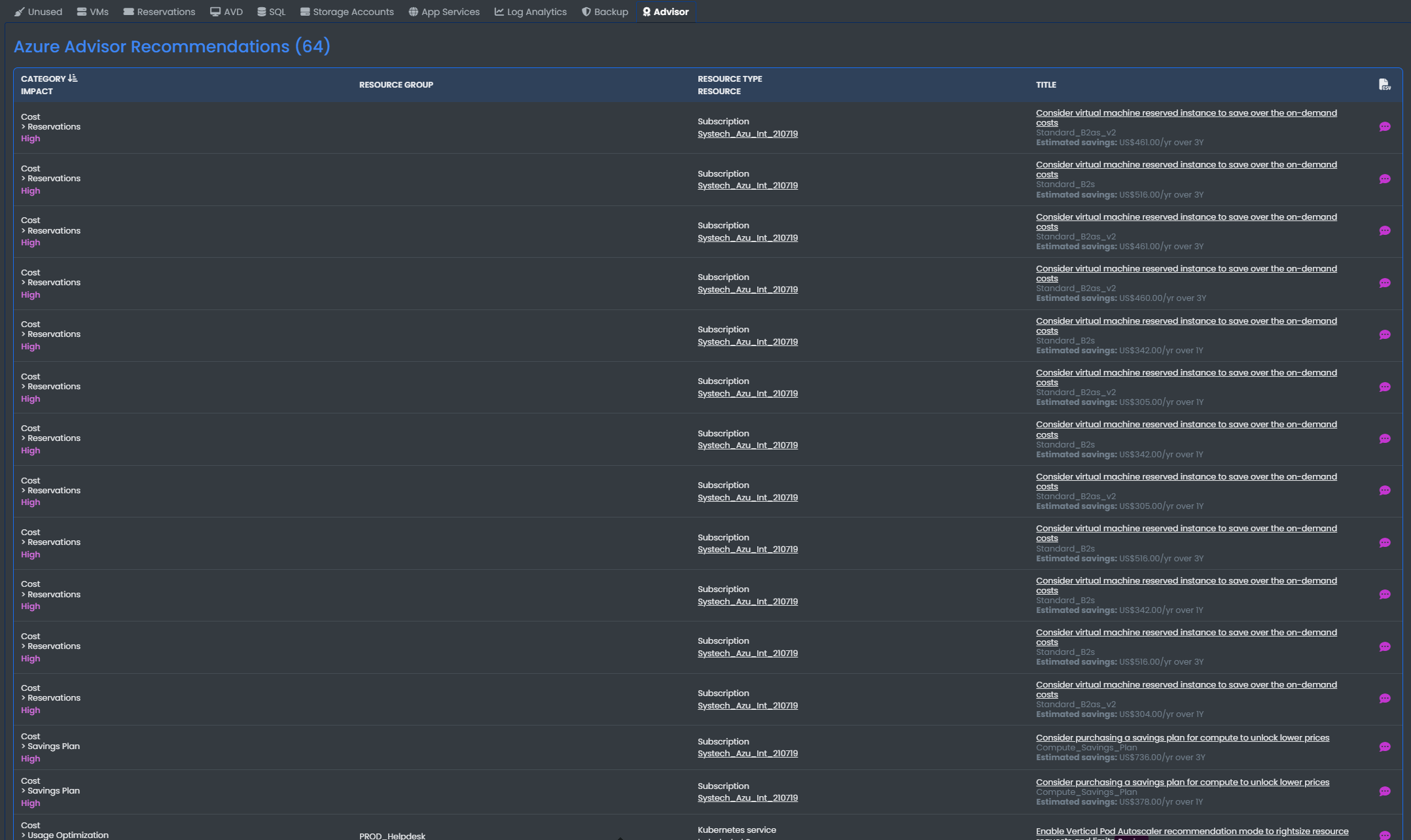
This tables shows the:
- Category Impact
- resource Group
- Resource Type
- Title