
Organization Settings
On the left sidebar select Settings

Organization Settings Features

Connected Microsoft 365 Tenants
View your connected 365 tenants linked to your organization.
View tenant details and their current connection status. These connections use secure Microsoft Graph API access with the permissions your admin has granted.
Use the Connection Assistant button to guide you through refreshing tokens, granting new permissions, and validating each tenant so new features keep working.
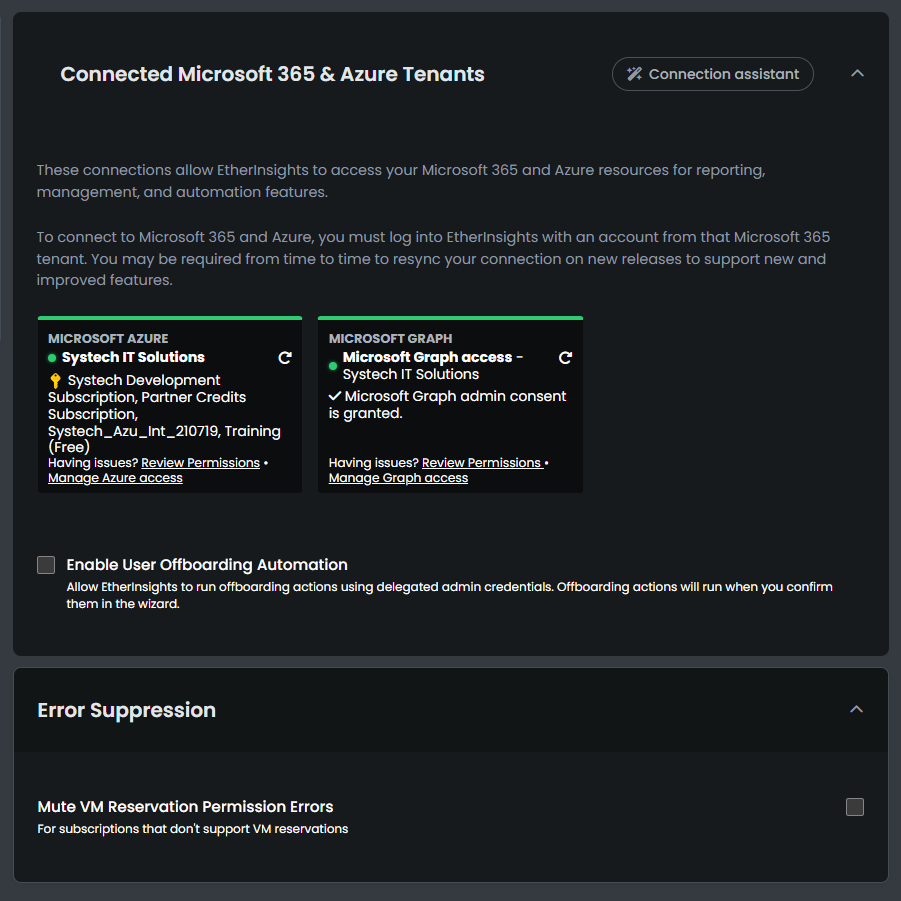
Error suppression can be used to mute M reservation permission errors if your subscription does not support VM reservations.
Members
View the Members in your organization.

- Remove Admin Privileges
- Disable this user's access
- Remove this user from the organization
- Add New Members to the Organization via Email
Partner Management
View your current partners, Revoke relationships, Add a manager or Activate a subscription.

Subscription
View and Managge your current subscription and View available subscription tiers

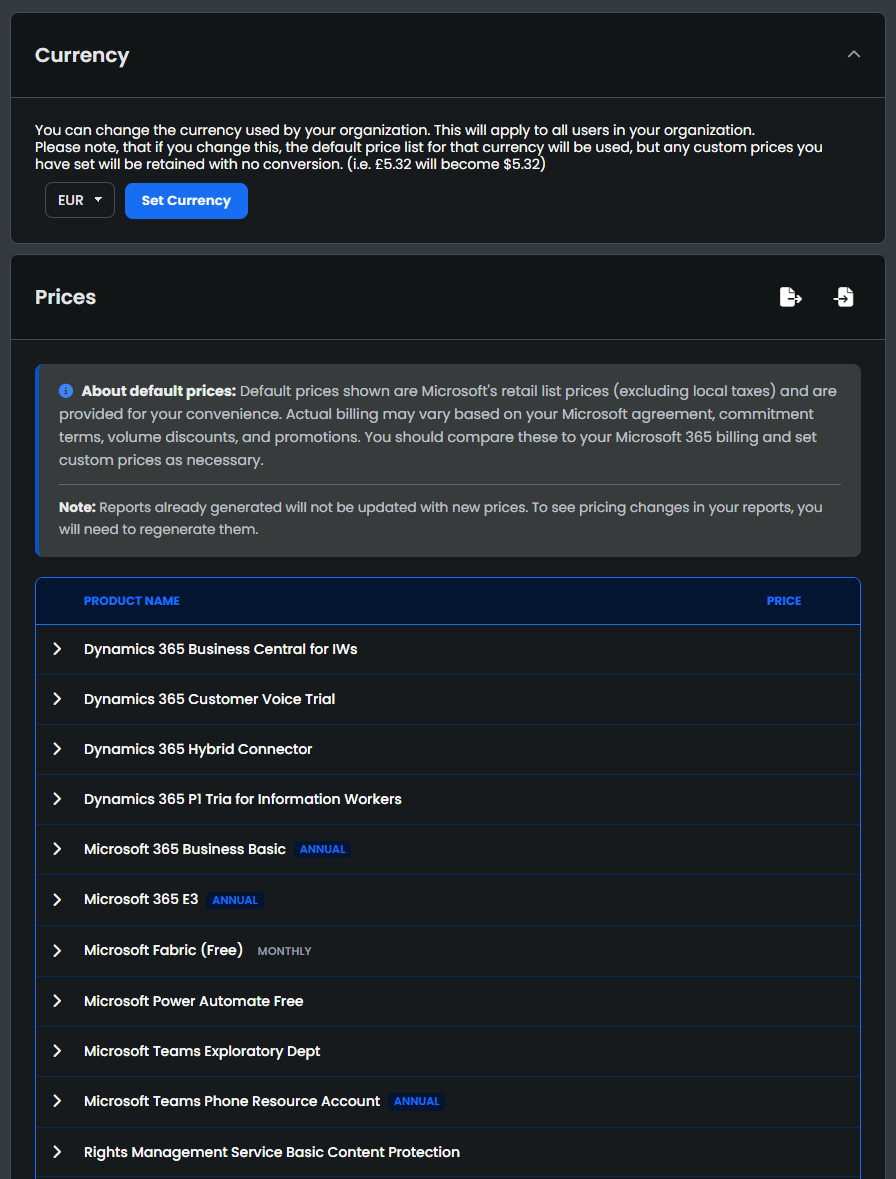
Price List
View and Manage the current Price list
Change your Organizations Currency
Export and Import Price list as CSV
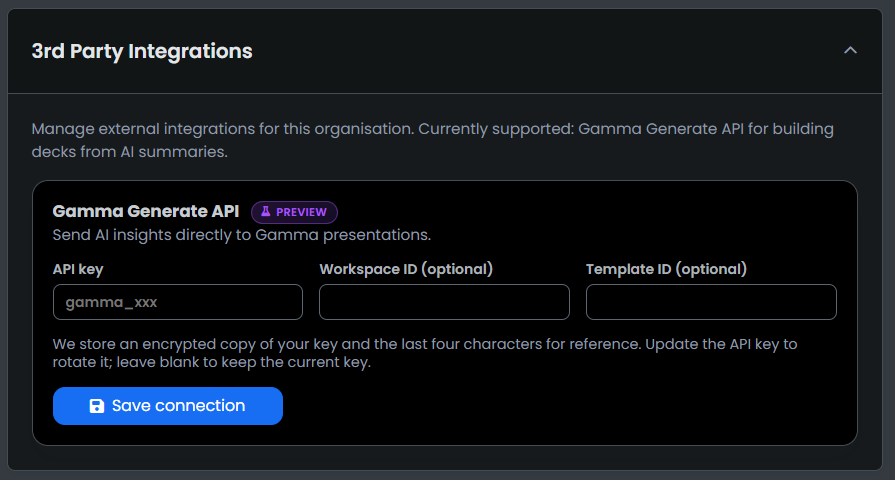
3rd Party Integration
Manage external integrations for this organisation. Currently supported: Gamma Generate API for building decks from AI summaries.
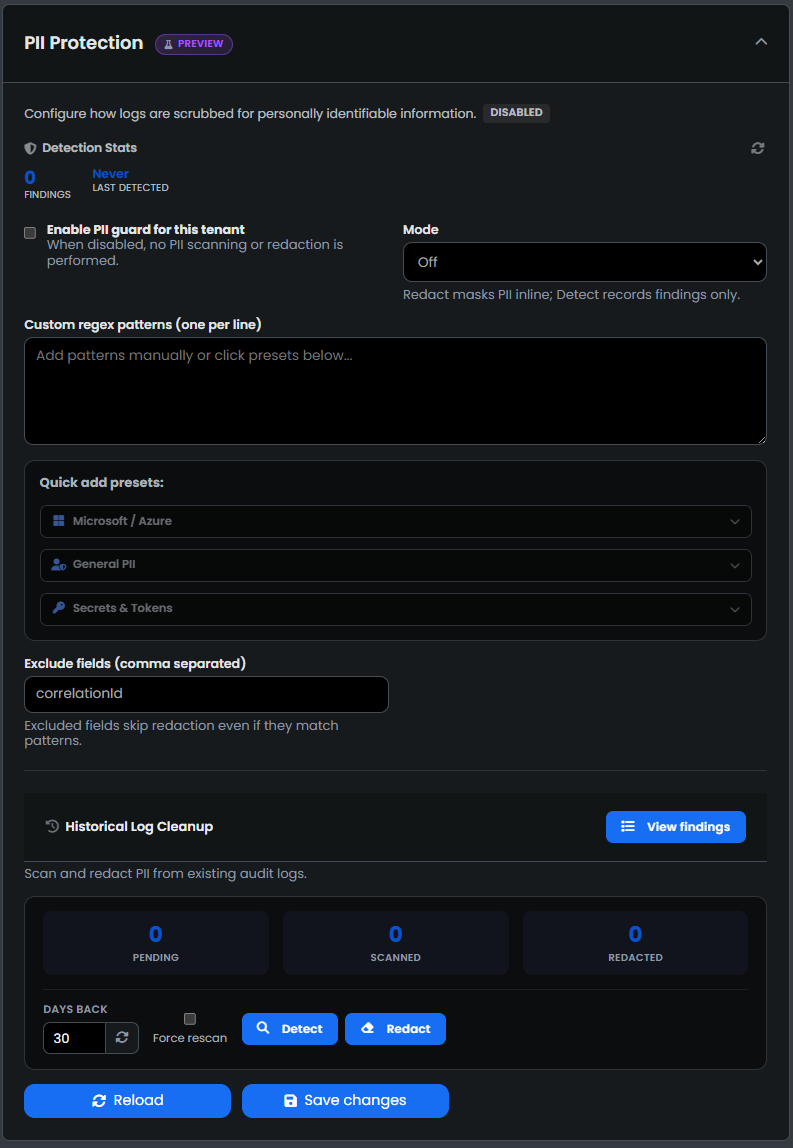
PII Protection
Configure how logs are scrubbed for personally identifiable information.
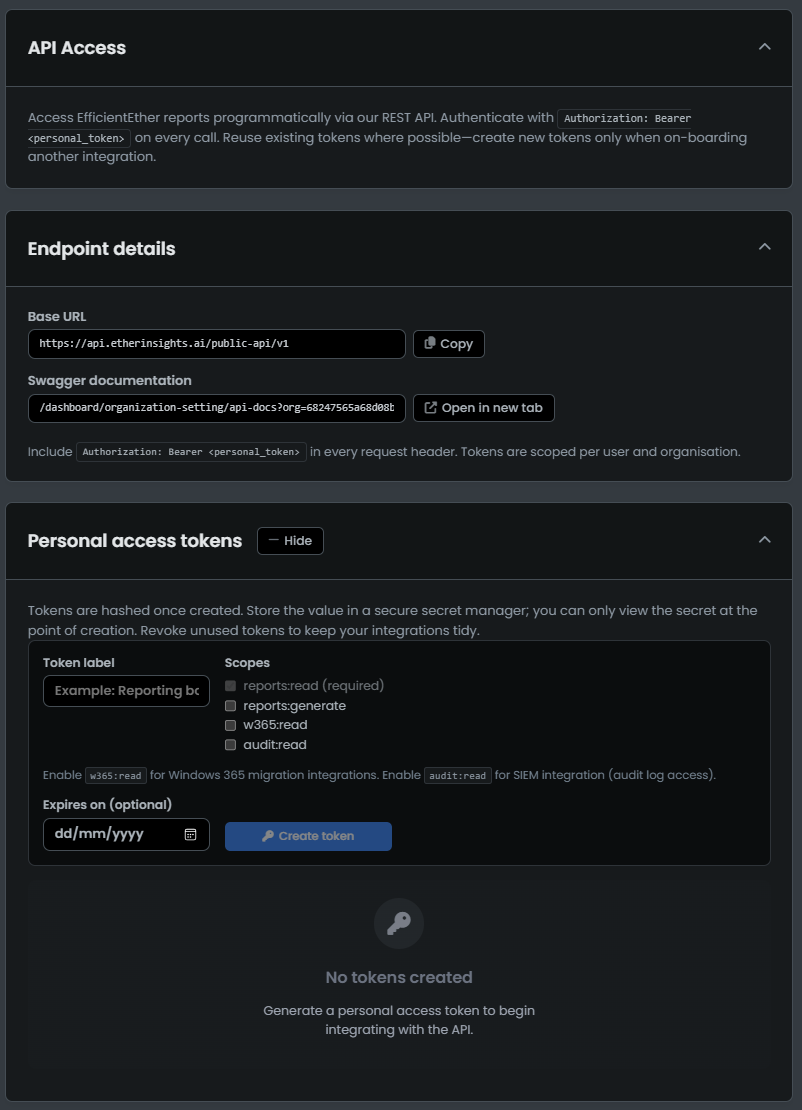
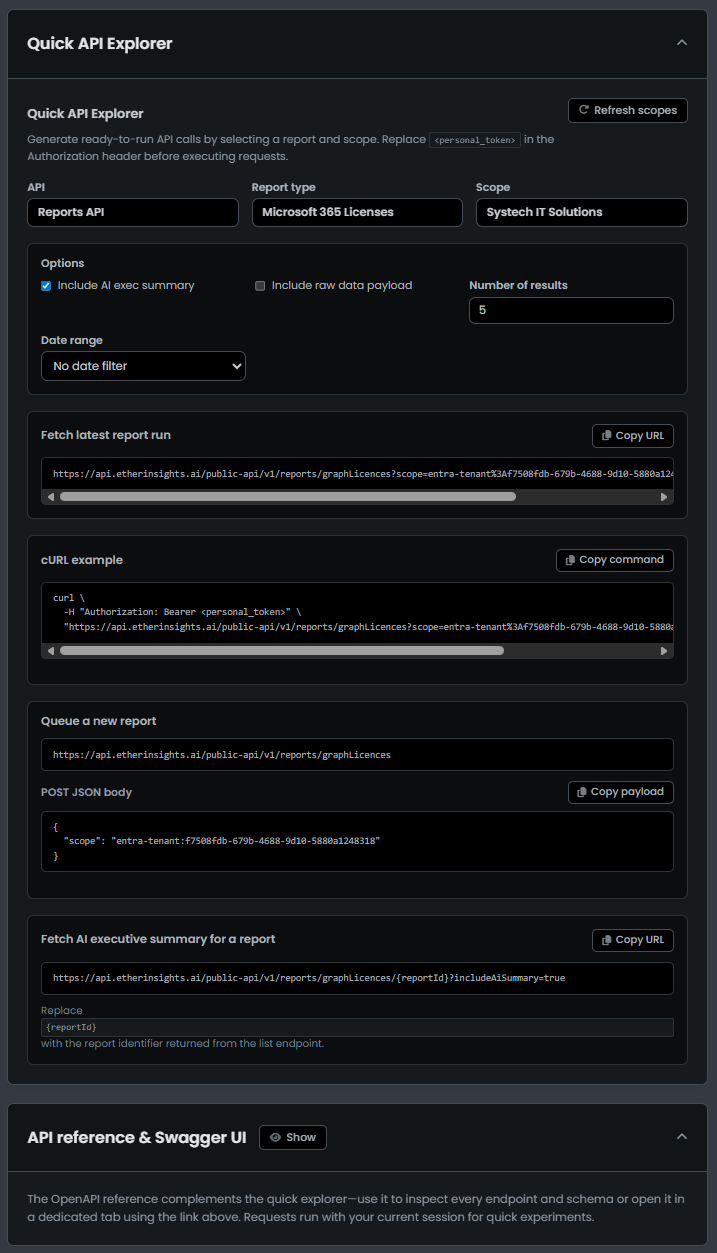
API Access
Use this section to view, create, and manage API keys for secure programmatic access to your organization's data.
The images below show the interface for adding new keys, reviewing existing keys, and managing their permissions and status.
Reminders
View Existing reminders and create reminders.

Select the Pencil Icon to Edit a reminder and the Trash Icon to remove a reminder.
Select the plus Icon to create a reminder.

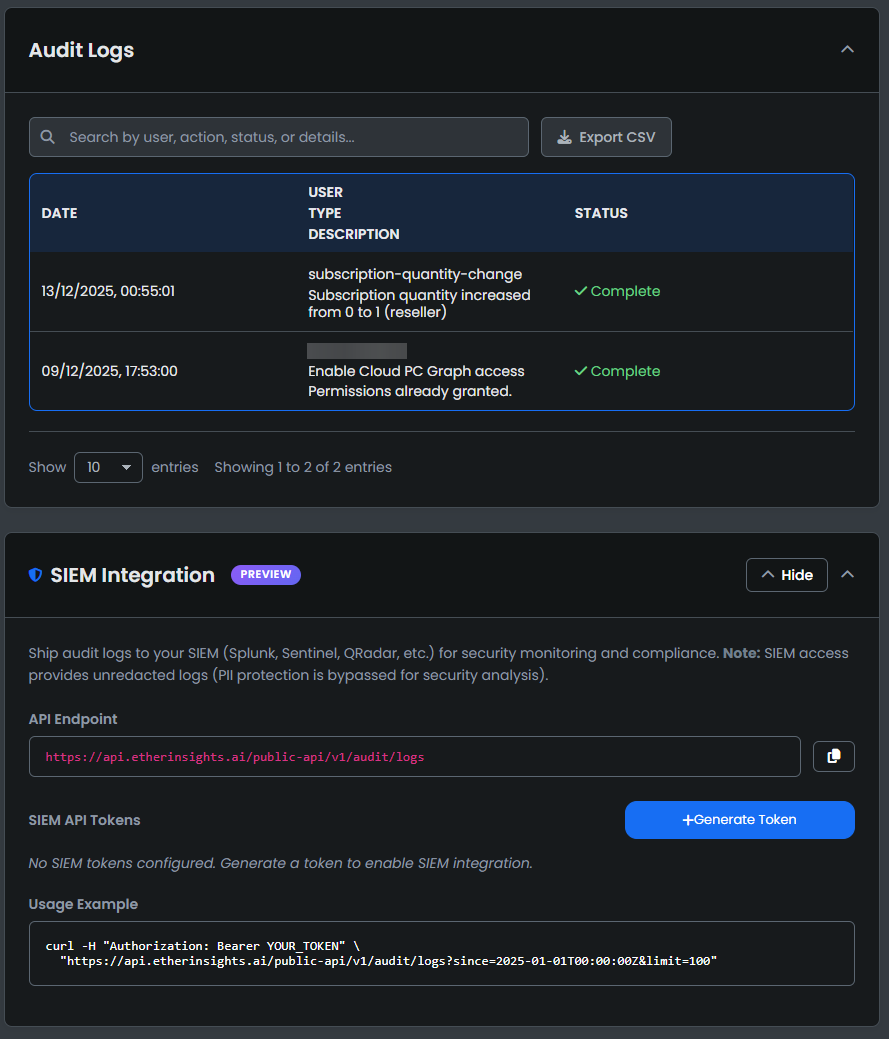
Audit Log
User Settings
View your User settings.
Add a Secondary Email to your Account

Partner Portal
Click Partner Portal to navigate to the EtherInsights Partner Portal
