
Virtual Machines
Virtual Machine Management is in preview
VM operations and insights are currently in development. Some features may not work as expected, and functionality may vary. We're actively improving based on user feedback.
Virtual Machines
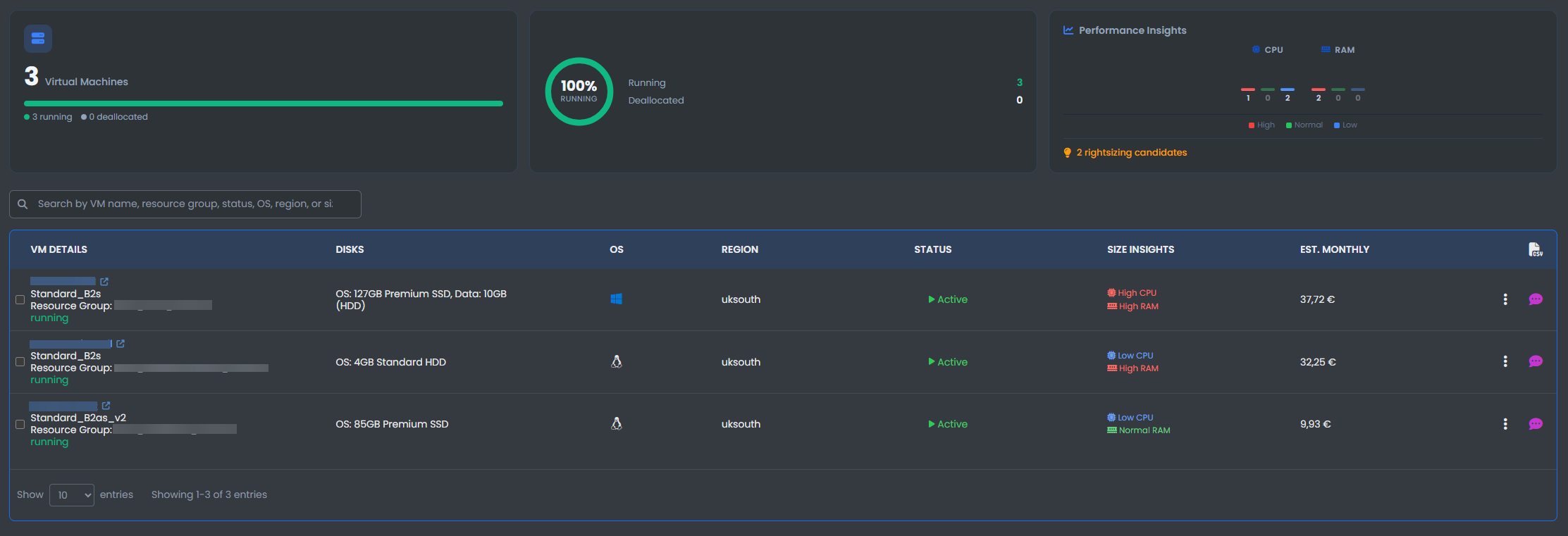
View your Virtual machines and their statistics including:
- Name: The name of your virtual machine
- Status: Click to stop and deallocate the virtual machine
- Size: The size of the virtual machine
- OS: The Operating system the Virtual machine is using
- Region: The region the virtual machine is located
- Disks: The type and capacity of the VM disk
- Size Insights: An insight on whether the current VM size is optimal for the VMs usage
- Estimated Monthly cost: Estimated monthly cost of the virtual machine
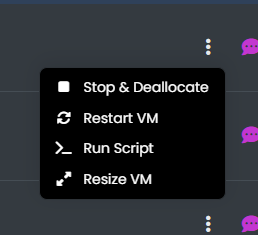
- Three Dots: Select the three dots to Stop & Deallocate, Restart VM, Resize VM.
VM Operations History

View the operations history of all of your virtual machines.
This table displays all details of Operations taken place to the virtual machine and the status of each operation.